5 AI Video and Audio Demos for Real Work
See five demos of Gemini with After Effects, GPT-6 Astra motion isolation, browser transcription, video visualization, and video compression.
Which Video Demo Should You Open First?
“Video explored as a 3D space-time visualization” is the clearest place to start. Shared by LinusEkenstam, this GPT-6 Astra demo turns an uploaded video into a dynamic three-dimensional visualization inside a browser tool. A timeline and preview frames accompany the visualization, giving you several connected ways to look through the video.

The format is what makes this example interesting. Instead of presenting video only as a flat sequence that plays from beginning to end, the tool displays it as a space-time structure that can be examined alongside its timeline and frames. That makes the demo immediately understandable even before you know how its underlying workflow was assembled.
It is also the most viewed example here, with 9,044 views on X. If you searched for GPT-6 Astra video demos and want one link that quickly communicates what someone made, this is the strongest first choice.
How Is Gemini Used With After Effects?
“Motion graphics in After Effects” shows a video produced through an AI-assisted After Effects workflow. The creator, biroldev, shared it as a Gemini 3.8 Flash work demo. It is a compact example of AI appearing inside a recognizable motion-graphics process rather than as a separate video destination.

The important detail is the workflow itself. After Effects remains part of how the video is produced, while Gemini 3.8 Flash assists the process. That framing makes the demo relevant to people searching for practical examples of AI used with an established creative application.
With 86 views on X, it follows the larger 3D video demonstration in the observed ranking. Its value comes from showing a specific production setting: an AI-assisted workflow connected to After Effects and a finished video.
Can GPT-6 Astra Separate Moving Pixels?
The demo titled “saw the pretty cool animation from bradleytangonan last week and the...” takes a different approach to video. Creator laszlogaal_ shared a GPT-6 Astra version that lets someone remove the pixels that are not moving.

That single operation gives the example a clear purpose. The uploaded material is considered in terms of change, with non-moving pixels removed so that the moving parts remain. It is a narrower idea than the 3D space-time viewer, which is exactly why it is useful to see beside it.
The creator also connects the work to an earlier animation from bradleytangonan and the original study. That context shows how one shared experiment prompted another creator to build a version with a direct way to remove the non-moving areas.
Can Whisper Transcribe Audio in a Browser?
“Transcribe audio in your browser” demonstrates a straightforward Whisper workflow. You can upload an audio file or link to audio, choose a Whisper checkpoint, and create a transcript. The recording does not have to be sent to an application server.
This is the most directly audio-focused demo in the group. Its appeal comes from putting the important choices in front of the user: provide the audio, select the checkpoint, and produce the transcript in the browser. The absence of an application-server upload is part of the demonstrated design, not an extra promise added around it.
For someone searching for a local Whisper transcription example, the demo answers the main practical question quickly. It shows a browser interface built around transcription and lets the person using it decide which available Whisper checkpoint to run.
Can You Compare Video Compression in a Browser?
“A smaller video. Right in your browser.” is a Claude Fable 5.1 demo centered on video compression. It lets you compare compression settings before deciding what to keep.
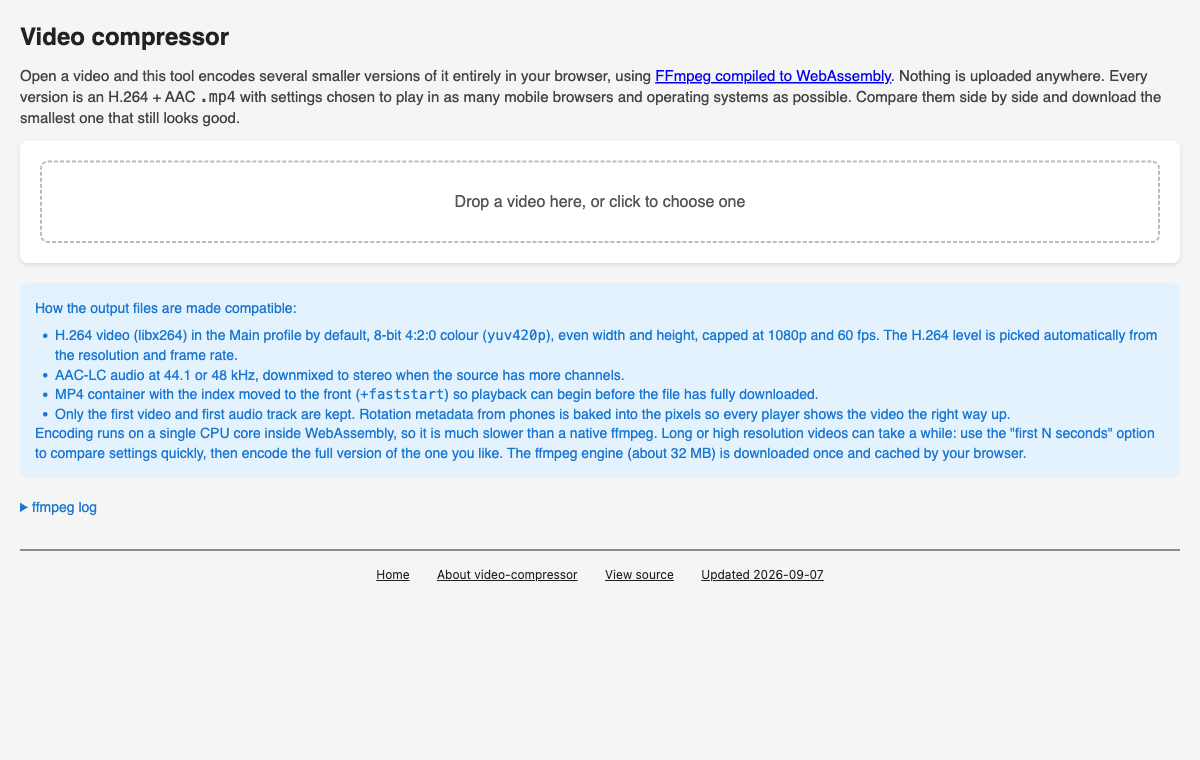
The comparison step is the useful part. Rather than reducing the idea to a single compression action, the demo makes room to look at different settings first and then choose. Its browser-based presentation also keeps the experience focused on the video and the decision in front of the user.
This example belongs next to the more visually experimental demos because it shows another side of AI video work. The outcome is not a motion graphic or a new visualization. It is a browser tool for evaluating compression choices and selecting the result you want to retain.
Which Demo Matches Your Work?
Start with LinusEkenstam’s 3D space-time visualization if you want to see video represented through a timeline, preview frames, and a dynamic three-dimensional view. Choose biroldev’s After Effects example when your interest is an AI-assisted motion-graphics workflow. Open laszlogaal_’s experiment when the specific idea of removing non-moving pixels is what caught your attention.
For audio transcription, the Whisper browser demo is the direct match. It accepts uploaded or linked audio, offers a choice of Whisper checkpoint, and produces a transcript without sending the recording to an application server. For file-size decisions, the Claude Fable 5.1 video compressor is the relevant example because it supports comparing settings before choosing what to keep.
Together, these demos cover five distinct kinds of work: exploring video spatially, producing motion graphics with AI assistance, isolating movement, transcribing audio, and comparing video compression settings. Each is useful because it demonstrates one concrete idea that can be understood from the shared result.